
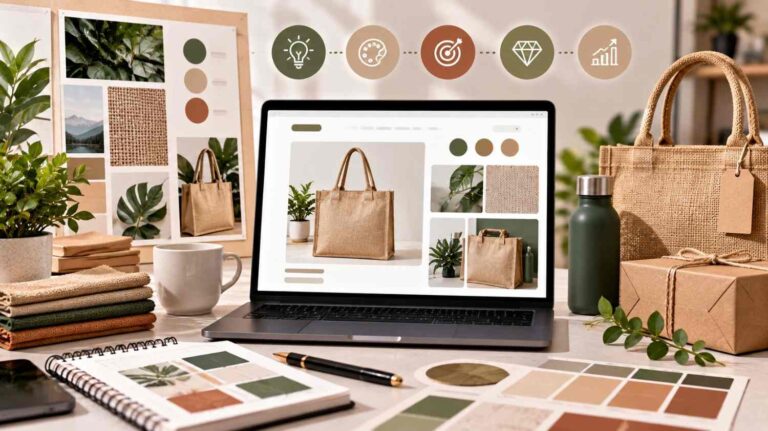
Designing a Cohesive Visual Brand Identity That Commands Premium Pricing

Designing a Cohesive Visual Brand Identity That Commands Premium Pricing

Designing a Cohesive Visual Brand Identity That Commands Premium Pricing

In competitive eCommerce marketplaces, customers often make their first judgment about a brand before reading the full product description. Product photography, packaging, typography, colors, graphics, website design, and marketplace content all contribute to that first impression.


A cohesive visual brand identity can transform a collection of individual products into a recognizable brand. More importantly, consistent and professional presentation can help communicate quality, strengthen customer confidence, and support a premium pricing strategy.


For brands selling across Canada and the USA, visual consistency becomes even more important when products appear across multiple online stores and marketplaces.


What Is a Cohesive Visual Brand Identity?

A visual brand identity is the collection of design elements that communicates what a business represents. It can include the logo, color palette, typography, photography style, graphic elements, packaging, website visuals, product images, and advertising creatives.


A cohesive identity means these elements work together rather than appearing independently.

For an eCommerce brand, the same visual language should ideally be recognizable across its website, Amazon listings, Walmart Marketplace pages, social media, email campaigns, advertisements, and other customer touchpoints.


AMZ Northland emphasizes consistent branding across multiple marketplace environments while adapting content to the requirements of each platform.


Why Visual Consistency Can Support Premium Pricing

Premium pricing requires customers to perceive meaningful value. While visual design alone cannot justify a higher price, professional presentation can influence how shoppers perceive quality and credibility.


Consider two products with similar features. If one has polished photography, clear graphics, consistent typography, compelling product storytelling, and a professional brand presence, it may create greater confidence than a product presented with inconsistent or low-quality visuals.


This is particularly relevant in online shopping because customers cannot physically examine the product before purchasing. Visual communication has to do more of the work.


A premium visual identity can therefore support the broader value proposition by making the product feel considered, established, and trustworthy.


Start With a Clear Brand Strategy

Before designing product images or marketplace graphics, a brand needs to understand its desired market position.

A business targeting premium customers should determine what its visual identity should communicate. Depending on the category, that might mean sophistication, craftsmanship, innovation, simplicity, sustainability, luxury, or technical expertise.


The objective is not to make every design look expensive. The objective is to make every visual element reinforce the same positioning.

Once the positioning is established, the brand can develop consistent design rules for colors, fonts, photography, graphic treatments, layouts, icons, and messaging.


Product Photography Is a Core Brand Asset

For eCommerce businesses, product photography often becomes one of the most visible elements of the brand.

High-quality images can communicate product details, scale, texture, functionality, and usage more effectively than text alone. Consistent lighting, composition, backgrounds, angles, and editing can also make multiple products feel like part of one collection.


This is why e-Commerce Photography should be considered a brand-building investment rather than simply a requirement for product listings.


AMZ Northland provides professional product photography, lifestyle imagery, infographics, and marketplace-compliant creative services designed to strengthen product presentation and customer engagement.


Create Consistency Across Marketplaces

A brand may sell through Amazon, Walmart, eBay, Etsy, Shopify, Poshmark, Faire, and other channels. Each marketplace has different requirements and customer behaviors, but the brand should remain recognizable.


Consistency does not mean copying exactly the same content everywhere.

Instead, businesses should maintain core brand elements while adapting product titles, images, descriptions, layouts, keywords, and promotional content to each marketplace.

This approach allows a company to maintain brand recognition while still using marketplace-specific Marketplace Management strategies.


AMZ Northland supports multi-marketplace businesses by coordinating branding, catalog management, listing optimization, creative services, and marketplace strategies across different platforms.


Use A+ Content to Tell the Brand Story

For brands selling on Amazon, A+ Content provides another opportunity to reinforce visual identity.

Instead of relying only on standard product descriptions, brands can use enhanced visual content to explain product benefits, demonstrate usage, communicate their story, and differentiate themselves from competitors.


Strong A+ Content can combine photography, graphics, comparison sections, product education, and brand messaging into a more engaging customer experience.

AMZ Northland creates A+ Content, infographics, comparison charts, and enhanced product content designed to improve engagement and strengthen brand credibility.


Make Your Website and Marketplace Experience Match

Customers should experience the same brand whether they discover a product through Google, a marketplace search, social media, or the company’s website.


When website design looks completely different from marketplace listings, customers may perceive the business as less established.

A consistent visual system can connect product pages, advertisements, social content, email marketing, and marketplace listings.


This is where e-Commerce Marketing becomes closely connected with visual branding. SEO, paid advertising, social media, content, and marketplace campaigns should all communicate the same core identity.


Design for Recognition, Not Just Decoration

Good branding is not simply about attractive graphics. Every visual element should have a purpose.


Photography should communicate product quality. Typography should support readability. Colors should reinforce brand recognition. Graphics should clarify product benefits. Layouts should make information easy to understand.

This becomes particularly important when shoppers compare multiple products quickly.


A recognizable and consistent brand can help customers identify products more easily as they move through different shopping channels.


Build a Scalable Visual System

A growing brand should not have to redesign every product from scratch.

Creating reusable templates for product images, infographics, A+ Content, storefront banners, social media creatives, and advertising can improve consistency and operational efficiency.


A scalable system also makes it easier to introduce new products without weakening the brand identity.

This is particularly valuable for companies managing large catalogs or selling across multiple marketplaces. Professional Online Marketplace Services can help businesses maintain consistent product content and visual presentation as their catalog grows.


How AMZ Northland Supports Stronger Brand Presentation

AMZ Northland helps eCommerce brands develop stronger marketplace identities through e-Commerce Marketing, Marketplace Management, e-Commerce Photography, and Online Marketplace Services.

Its services include product listing optimization, marketplace SEO, A+ Content, product photography, infographics, catalog management, advertising support, storefront development, and multi-marketplace consulting.


By combining visual content with marketplace strategy, AMZ Northland helps brands create a consistent customer experience across major eCommerce channels.


For brands seeking premium positioning, the goal should be clear: every customer interaction should reinforce the same perception of quality. A cohesive visual identity does not replace product value, but it can make that value easier to recognize, understand, and trust.


About AMZ Northland

AMZ Northland is an eCommerce consulting and marketplace management company supporting brands across Canada, the USA, and global markets. Its services combine e-Commerce Marketing, Marketplace Management, e-Commerce Photography, and Online Marketplace Services to help businesses improve visibility, product presentation, customer engagement, and marketplace performance.


For brands aiming to command stronger pricing and build long-term recognition, cohesive visual branding should be treated as part of the overall eCommerce growth strategy—not simply as a design exercise.

Frequently Asked Questions

A cohesive visual brand identity is a consistent combination of photography, colors, typography, graphics, layouts, packaging, and other design elements that creates a recognizable brand experience across customer touchpoints.

Yes. Professional and consistent visual presentation can strengthen perceived quality, credibility, and brand value. However, premium pricing should also be supported by genuine product quality, differentiation, customer experience, and overall value.

e-Commerce Photography helps establish the visual language of a product catalog. Consistent photography can make products appear more professional and recognizable while helping customers understand product features and details.

The core visual identity should remain consistent, but content should be adapted to each platform. Marketplace requirements, shopper behavior, image formats, search practices, and product presentation can differ between channels.

A+ Content can combine product photography, graphics, brand storytelling, comparisons, and educational information into a stronger product-page experience. This gives brands additional space to communicate their identity and product value.

Marketplace Management helps maintain consistent listings, catalogs, imagery, product information, advertising, and marketplace strategies across multiple sales channels. This can become increasingly important as a brand expands.

Yes. Online Marketplace Services can support businesses with listing optimization, catalog management, marketplace SEO, creative content, photography, advertising, and ongoing marketplace operations, allowing brands to build a more consistent presence as they scale.
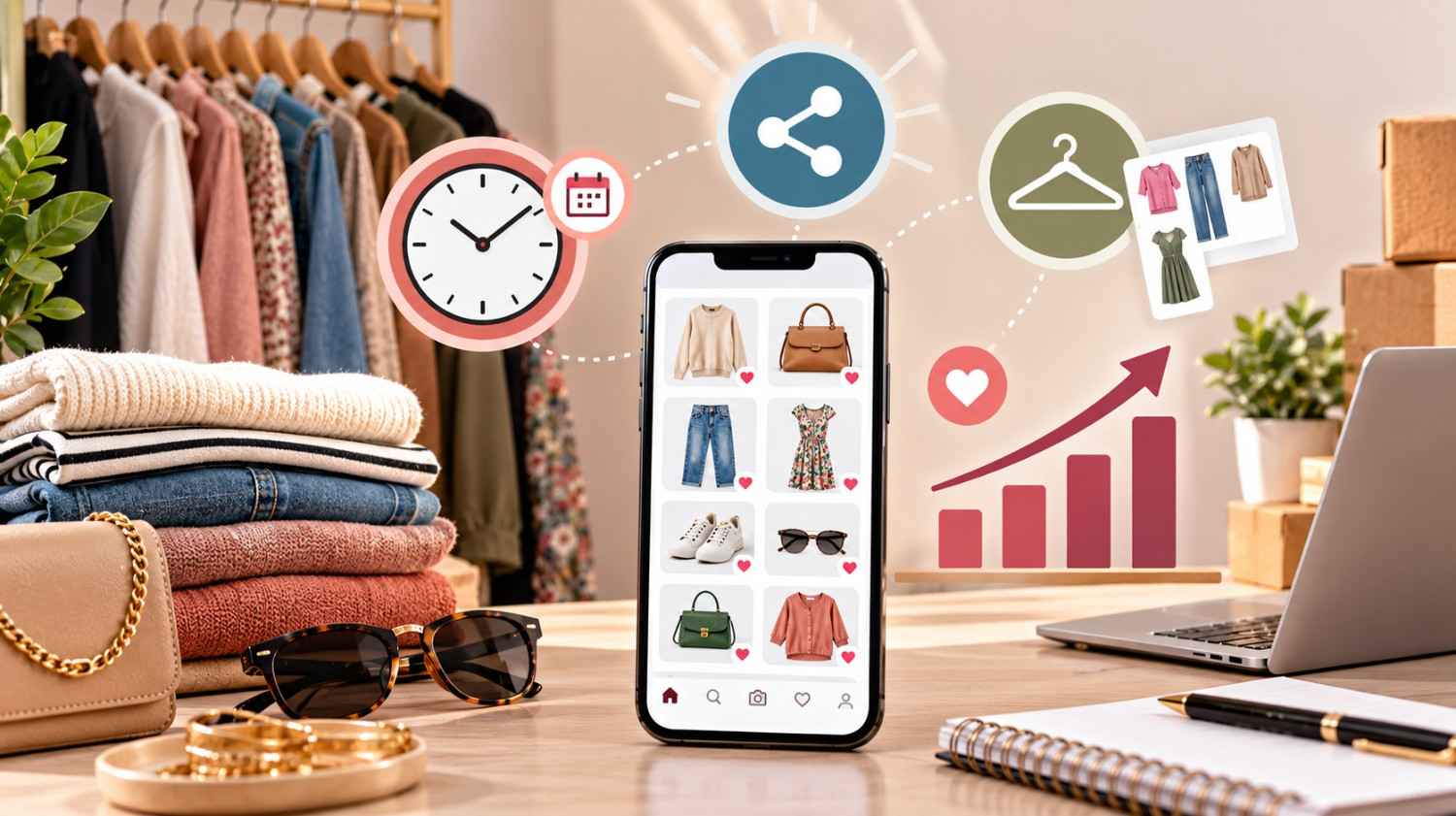
Algorithmic Growth on Poshmark: Timing, Sharing, and Closet Curation Tactics

Algorithmic Growth on Poshmark Timing Sharing and Closet Curation Tactic

Algorithmic Growth on Poshmark: Timing, Sharing, and Closet Curation Tactics

Selling successfully on Poshmark requires more than uploading products and waiting for buyers. Marketplace visibility depends on listing quality, seller activity, shopper relevance, and how effectively a closet is maintained.


For sellers targeting customers in Canada and the USA, understanding how Poshmark discovery works can help create a more strategic approach to Marketplace Management. Rather than relying on repetitive activity alone, sellers can combine thoughtful listing optimization, regular sharing, strong photography, seasonal planning, and responsive customer engagement.


Poshmark itself has recently emphasized listing quality, seller activity, responsiveness, and reliability as important elements of discovery. Sharing still refreshes listings in the “Just Shared” sort, while sharing other sellers’ listings no longer directly affects listing visibility in the Feed.


Understanding Poshmark’s Algorithmic Discovery

The Poshmark marketplace is designed to connect shoppers with products that match their searches and interests. This means sellers should focus on making every listing easy for shoppers to understand.


A strong listing begins with an accurate title, relevant brand information, correct size and color details, useful descriptions, appropriate style tags, competitive pricing, and high-quality photographs. Poshmark recommends complete listing information because descriptive listings give shoppers more information and can improve discoverability.


For sellers, the goal is not simply to add more keywords. It is to use relevant search language naturally so that shoppers can quickly identify what the product is, who it is for, and why it is valuable.


Timing Your Poshmark Activity

Timing matters because shopper behavior changes throughout the day and across seasons. Instead of treating every item identically, sellers should consider when specific products are most relevant.

Seasonal inventory should be prepared before demand reaches its peak. For example, winter clothing can be introduced before colder weather becomes dominant, while vacation clothing, accessories, and warm-weather products can be positioned ahead of seasonal demand.


Poshmark has previously advised sellers to stock seasonal products ahead of the season and highlighted the importance of listing fresh inventory consistently.

For a professional e-Commerce Marketing strategy, timing should also be connected to promotional campaigns, inventory availability, product photography, and customer demand.


Strategic Sharing Instead of Random Sharing

Sharing remains an important part of Poshmark selling, but sellers should understand its current role. Poshmark states that sharing counts as activity and refreshes listings in the “Just Shared” search sort.

This makes self-sharing useful for keeping active listings visible to shoppers who browse recent inventory.


However, sellers should avoid treating sharing as the only growth tactic. A poorly optimized listing that is repeatedly shared may still struggle to convert. Strong titles, relevant keywords, accurate descriptions, compelling photographs, competitive pricing, and inventory freshness should work together.

Bulk sharing can also save time for larger closets. Poshmark notes that its Bulk Listing Actions can help sellers share multiple listings efficiently.


Closet Curation Is a Growth Strategy

A successful Poshmark closet should feel organized rather than random. Closet curation means creating a collection of products that makes sense for the target customer.

Sellers can organize their inventory around categories, brands, styles, seasons, price ranges, and customer interests. When shoppers discover one relevant product, a well-curated closet gives them additional reasons to browse.


This approach can also support cross-selling. Someone searching for a particular jacket may also be interested in complementary accessories, shoes, bags, or seasonal clothing.

Closet curation therefore becomes part of Online Marketplace Services and broader Marketplace Management, helping sellers transform individual listings into a cohesive shopping experience.


Photography Can Influence Conversion

Strong product photography is essential in fashion marketplaces because shoppers cannot physically inspect an item before purchasing.

Clear images should show the product from useful angles and accurately communicate color, condition, texture, details, and fit-related information. A clean and consistent visual style can also make an entire closet look more professional.


This is where e-Commerce Photography becomes an important component of marketplace growth. Consistent backgrounds, lighting, framing, image quality, and product presentation can create stronger visual credibility.

Poshmark also recommends clear photography and simple backgrounds as part of improving listing presentation.


Refreshing Listings and Managing Inventory

Marketplace performance can change over time. Products that once received attention may eventually lose momentum because shopper interests, seasons, trends, and competition change.

Sellers should regularly review listings and identify products that need better photographs, more accurate descriptions, stronger keywords, updated pricing, or improved presentation.


Fresh inventory is particularly valuable. Poshmark has reported that newly listed items can perform strongly compared with copied and relisted listings and has encouraged sellers to list consistently.

Inventory management should therefore be connected with marketing rather than treated as a separate administrative task.


Using Data to Improve Your Poshmark Strategy

Effective marketplace growth requires experimentation. Sellers can compare which product categories receive the most engagement, which photographs attract attention, which pricing strategies generate offers, and which listings convert views into sales.

Recent Poshmark updates have introduced listing metrics that allow sellers to better understand individual listing performance.


These insights can help sellers make informed decisions about which products to prioritize, refresh, promote, photograph differently, or replace.

The objective is to develop a repeatable system rather than relying on assumptions about what the algorithm prefers.


Building a Scalable Poshmark Growth Strategy

For professional sellers and brands, Poshmark should be approached as a marketplace channel within a broader eCommerce strategy. Product sourcing, listing optimization, photography, pricing, customer engagement, inventory management, and marketing should support the same commercial objectives.


This is particularly important for businesses operating across Canada and the USA. Localized product messaging, market-specific pricing considerations, seasonal demand, and consistent brand presentation can help create a stronger marketplace presence.


A structured approach to e-Commerce Marketing, Marketplace Management, e-Commerce Photography, and Online Marketplace Services can turn marketplace activity into a more scalable business process.


How AMZ Northland Supports Marketplace Growth

AMZ Northland helps businesses strengthen their presence across online marketplaces through professional marketplace support, eCommerce strategy, product listing optimization, product photography, and digital marketing.


The company’s approach combines e-Commerce Marketing, Marketplace Management, e-Commerce Photography, and Online Marketplace Services to help brands present products professionally and improve their marketplace performance.


For sellers looking to build a stronger Poshmark presence, the focus should remain on quality, relevance, consistency, and customer experience. Algorithmic visibility is valuable, but sustainable growth comes when visibility leads to engagement, trust, and conversions.


About AMZ Northland

AMZ Northland provides eCommerce and marketplace solutions for businesses seeking stronger digital visibility and more effective online selling. Through e-Commerce Marketing, Marketplace Management, e-Commerce Photography, and Online Marketplace Services, AMZ Northland helps brands improve how their products are presented, managed, and marketed across digital marketplaces.


For businesses selling on Poshmark, sustainable growth comes from combining algorithm awareness with excellent listings, strategic timing, professional imagery, curated inventory, and a customer-focused marketplace experience.

Frequently Asked Questions

Poshmark discovery considers factors such as listing quality, relevance, seller activity, and shopper behavior. Sellers should focus on accurate information, strong photography, relevant keywords, consistent activity, and responsive customer service.

Yes. Poshmark states that sharing counts as activity and refreshes listings in the “Just Shared” search sort. However, sellers should combine sharing with listing optimization and strong inventory management.

There is no universal time that guarantees sales. Sellers should study their audience and test different activity periods while considering seasonal demand, shopper behavior, and product category.

A curated closet creates a more cohesive shopping experience. Grouping relevant products by style, category, season, or customer interest can encourage shoppers to explore additional listings.

High-quality photography helps shoppers understand the product before purchasing. Clear, consistent images can improve product presentation, communicate condition and details, and create a more professional closet appearance.

Sellers should regularly review their inventory and introduce fresh products while refreshing listings that need better information, photography, pricing, or presentation. Consistent listing activity has been associated with stronger seller performance in Poshmark’s published seller data.

Professional Marketplace Management can help businesses manage listing quality, inventory, product presentation, marketplace activity, and broader eCommerce strategy. Combining these services with e-Commerce Marketing and Online Marketplace Services can create a more organized approach to marketplace growth.

The B2B Goldmine: Landing Independent Boutique Buyers Through Faire

The B2B Goldmine

The B2B Goldmine: Landing Independent Boutique Buyers Through Faire

For product brands looking to expand beyond direct-to-consumer sales, independent boutiques can represent a valuable B2B growth opportunity. Boutique owners, gift shops, lifestyle stores, specialty retailers, and other independent businesses are constantly looking for products that can differentiate their stores and appeal to their customers.


Faire wholesale provides an online marketplace where brands can connect with independent retailers looking for products to stock and resell. Faire describes its platform as a way for retailers to discover brands and build wholesale relationships, while its seller platform provides tools for catalogs, orders, inventory, retailer communication, and performance tracking.


For emerging and established brands, the opportunity is not simply joining Faire. The real challenge is becoming attractive and discoverable to the right boutique buyers.


Why Faire Matters for B2B Brands

Traditional wholesale growth often depends on sales representatives, trade shows, direct outreach, and established retailer relationships. Faire introduces another channel where independent retailers can discover products online.


According to Faire, its marketplace connects hundreds of thousands of retailers with more than 100,000 brands.

This creates an important opportunity for brands that want to reach independent retailers without relying entirely on traditional wholesale acquisition methods.

For a brand, a single successful boutique relationship can potentially lead to repeat orders, product visibility in a physical store, and long-term wholesale growth.


Make Your Faire Storefront Buyer-Focused

Boutique buyers do not have time to study poorly organized catalogs. Your Faire storefront needs to communicate your brand, products, pricing, and value proposition quickly.


High-quality product images should clearly show the product from useful angles. Product descriptions should explain important features, dimensions, materials, applications, and customer benefits.


Your brand story also matters. Independent retailers often want to understand what makes a product different and why their customers would want it.


A professional storefront can therefore function as your digital wholesale sales presentation.


Build a Wholesale Catalog That Sells

Your catalog should make it easy for boutique buyers to understand your product range and decide what fits their store.


Products should have consistent photography, clear titles, accurate descriptions, relevant categories, and appropriate variations. Related products can also be presented as a cohesive collection rather than as disconnected individual listings.


Pricing requires particular attention because boutique retailers need enough margin to make a product commercially attractive. Your wholesale pricing should be developed with retailer economics, product costs, positioning, and your desired margins in mind.


Faire provides retailers with tools designed to discover products and brands, while its seller platform allows brands to manage catalogs, orders, inventory, and performance.


Understand What Independent Boutique Buyers Want

Winning boutique buyers starts with understanding their priorities.

Independent retailers typically look for products that fit their store identity, appeal to their customers, provide appropriate margins, and can be reordered reliably.


Your Faire positioning should therefore answer important buyer questions: Who is the product for? What makes it different? What type of store is it suited for? What makes it commercially attractive? How does it complement existing products?


Instead of writing product descriptions only for consumers, create wholesale content that speaks directly to retail buyers.


Use Product Positioning to Stand Out

Competition on a wholesale marketplace can be significant. A brand selling a generic product may struggle to capture attention if its storefront looks similar to dozens of competitors.


Strong positioning gives buyers a reason to investigate further.

Your products might stand out through design, craftsmanship, packaging, materials, functionality, customer appeal, category specialization, or a distinctive brand story.


The objective is to make your brand easy for a boutique buyer to understand and remember.


Make Your Products Easy to Discover

Faire buyers search by product categories, styles, and specific needs. This means your catalog should use relevant terminology that accurately describes your products.


Titles, descriptions, categories, product attributes, and brand information should communicate what you sell without unnecessary keyword repetition.


For example, a brand selling gift products should clearly communicate relevant product types and use cases rather than relying on vague descriptions.


This is where Faire SEO and marketplace optimization can become valuable. Better-organized product information can help buyers understand whether your products match what they are looking for.


Create Retailer-Friendly Product Collections

Instead of presenting dozens of unrelated products, brands can organize their catalog around logical collections.

A gift brand might have seasonal gifting, home décor, accessories, and bestsellers. A fashion brand might organize products around collections, customer types, or product categories.


This helps boutique buyers browse more efficiently and discover products that can work together within their store.

It can also encourage retailers to consider multiple products rather than placing attention on only one SKU.


Encourage Repeat Wholesale Orders

Getting a first boutique order is only the beginning. Long-term B2B growth depends heavily on retailer satisfaction and repeat purchasing.

Accurate inventory information, consistent product quality, reliable fulfillment, responsive communication, and strong product performance all contribute to the retailer experience.


Faire provides tools for brands to communicate with retailers, manage inventory, fulfill orders, and track performance.

Brands should use this information to understand which products attract attention and which products generate repeat demand.


Combine Faire With Your Wider Ecommerce Strategy

Faire should not necessarily operate as an isolated sales channel.


Brands can combine wholesale marketplace activity with Amazon, Shopify, direct-to-consumer marketing, social media, email marketing, SEO, and other ecommerce channels.


This creates a more diversified growth strategy. A retailer may discover a brand on Faire while a consumer discovers the same brand through another channel.


Maintaining consistent product information, brand positioning, photography, and messaging across channels can strengthen overall brand recognition.


Expand Your B2B Reach Across Canada and the USA

For brands targeting North American retailers, Faire can provide an opportunity to connect with independent businesses across Canada and the USA.


However, successful expansion requires more than making products available in another market. Brands should consider market-specific pricing, product demand, shipping expectations, retailer preferences, and catalog presentation.


A strong Faire wholesale strategy for Canada and the USA should therefore combine marketplace optimization with broader B2B planning.


Why Choose AMZ Northland?

AMZ Northland provides Faire onboarding, wholesale marketplace consulting, catalog optimization, pricing strategy, retailer acquisition, account management, performance tracking, and growth support for brands targeting retailers across Canada and the USA.


Its approach focuses on helping brands establish a professional Faire presence, improve product presentation, attract qualified retail buyers, and develop stronger repeat-order opportunities.


For brands that want to turn Faire into more than another sales channel, the right combination of Faire SEO, wholesale catalog optimization, buyer-focused positioning, pricing strategy, and ongoing marketplace management can create a stronger foundation for B2B growth.

Frequently Asked Questions

Faire is an online wholesale marketplace that connects brands with independent retailers looking for products to purchase and resell in their stores or online businesses.

Brands can improve their chances by creating a professional storefront, using high-quality product photography, optimizing catalog information, developing suitable wholesale pricing, and clearly communicating their brand story and product value.

Yes. Faire is designed to connect brands with independent retailers, giving emerging businesses another channel for developing wholesale relationships. However, product-market fit and professional marketplace presentation remain important.

Product photography is extremely important because boutique buyers need to evaluate products quickly. Clear, professional images can communicate product quality, design, dimensions, and presentation more effectively than text alone.

Brands should consider production costs, operating expenses, retailer margins, marketplace fees where applicable, shipping considerations, competitive positioning, and desired profitability when developing wholesale pricing.

Yes. Faire operates in both Canada and the USA, giving eligible brands opportunities to connect with retailers in these markets.

Yes. AMZ Northland provides Faire onboarding, storefront optimization, catalog management, pricing strategy, marketing, retailer outreach, account management, and performance tracking for brands seeking B2B growth.

Long-Tail Dominance: How Small Brands Outrank Giants in Crowded Niches

Long Tail Dominance

Long-Tail Dominance: How Small Brands Outrank Giants in Crowded Niches

Competing against established brands on Amazon can feel overwhelming. Large sellers often have bigger advertising budgets, extensive product catalogs, stronger brand recognition, and years of marketplace data. However, size does not automatically guarantee search dominance.


For small and emerging brands, one of the most effective ways to compete is through long-tail keyword SEO. Instead of trying to rank immediately for extremely broad terms, smaller brands can target specific, high-intent searches that closely match what customers actually want.


A focused long-tail strategy can improve product discoverability, attract more relevant shoppers, and create opportunities for brands selling on Amazon in Canada and the USA.


What Are Long-Tail Keywords?

Long-tail keywords are more specific search phrases that usually contain several words and describe a particular customer need.


For example, instead of targeting a broad phrase such as “laptop bag,” a seller could target a more specific phrase such as “women’s laptop tote bag for work and travel.”


The longer phrase generally has a narrower search intent. That can make it particularly valuable for smaller brands that cannot compete immediately with established sellers for the most competitive generic keywords.


AMZ Northland’s Amazon SEO resources emphasize using specific, relevant search phrases and competitor research to improve product discoverability.


Why Long-Tail SEO Works for Smaller Brands

Large brands often compete aggressively for high-volume keywords. A small brand attempting to rank for a very broad term may spend considerable resources without generating sufficient results.


Long-tail SEO provides another path.

When a customer searches for a highly specific product requirement, their intent is often clearer. Someone searching for “waterproof laptop backpack for business travel” has communicated considerably more information than someone searching simply for “backpack.”


For a smaller brand, matching that specific intent can create a stronger opportunity to attract a qualified shopper.

The goal is not simply to generate more impressions. It is to attract shoppers whose search closely matches the product being offered.


Start With Customer Search Intent

Successful long-tail Amazon SEO begins with understanding what customers actually want.

Think about the product from the shopper’s perspective. What problem does it solve? Who is it designed for? Where will it be used? What size, material, feature, style, or function matters to the buyer?


For example, a seller offering a travel bag could explore phrases related to business travel, airline travel, laptop storage, lightweight construction, organization, or specific customer groups.

This creates a broader collection of relevant search opportunities without relying on one highly competitive keyword.


Use Long-Tail Keywords Naturally in Listings

Once relevant search phrases have been identified, they should be incorporated naturally into the product listing.

The product title, key selling points, description, attributes, and backend search terms all contribute to the overall listing optimization strategy. AMZ Northland’s Amazon listing optimization services focus on keyword research, title optimization, product descriptions, backend keywords, and conversion-focused content.


Keyword placement should never make the listing difficult to read. A product page needs to satisfy two audiences: the search system that needs to understand the product and the shopper who needs enough information to make a purchase decision.


Target Specific Product Attributes

One of the easiest ways to discover long-tail opportunities is to analyze product attributes.

Consider characteristics such as size, material, colour, intended user, product type, use case, design, compatibility, or special features.


A generic keyword like “office bag” can potentially become more specific through phrases such as “women’s office tote bag with laptop compartment” or “professional work tote for 15-inch laptop.”

These searches communicate greater intent and can help a product reach shoppers looking for a particular solution.


Combine Long-Tail SEO With Conversion Optimization

Getting discovered is only one part of Amazon growth.


A shopper who clicks a listing still needs a reason to purchase. Product images, descriptions, key selling points, A+ Content, reviews, pricing, and overall presentation can influence conversion performance.

This is why long-tail keyword optimization should not operate separately from listing quality.


AMZ Northland combines marketplace SEO with conversion-focused content, A+ Content, product photography, and listing optimization to help brands improve both discoverability and customer experience.


Build Topic and Keyword Clusters

Small brands should avoid relying on one keyword for an entire product.

Instead, build a group of closely related search terms around the same product. For example, a travel backpack could have keyword themes related to business travel, laptop storage, carry-on use, lightweight design, organization, and commuting.


This approach gives the listing multiple opportunities to match relevant searches while maintaining a natural product narrative.

It also helps sellers understand which customer needs are most closely connected to their products.


Use Competitor Research to Find Gaps

Competitor analysis can reveal opportunities that established brands may not be addressing effectively.

Examine competing listings to identify missing information, weak product descriptions, overlooked use cases, poor visual presentation, and customer questions that are not being answered.


A small brand can then position its listing around those gaps.

The objective is not to copy competitors. Instead, use competitor research to understand the marketplace and identify opportunities to communicate your own product’s unique benefits more effectively.


Don’t Ignore Backend Search Terms

Backend search terms can provide additional opportunities to communicate relevant search vocabulary to Amazon.

AMZ Northland’s guidance on Amazon backend keywords recommends using relevant long-tail phrases, synonyms, and variations while avoiding unnecessary repetition.


Sellers should focus on terms that genuinely describe the product and its intended use. Adding unrelated keywords simply because they receive high search volume can weaken relevance rather than improve it.


Long-Tail SEO Across Canada and the USA

Small brands selling on Amazon.ca and Amazon.com may need to consider differences in customer behaviour, product terminology, competition, and marketplace strategy.


A keyword that performs well in one market may not have exactly the same opportunity in another. Sellers expanding from Canada into the USA should research the target marketplace instead of simply copying their existing keyword strategy.


AMZ Northland supports brands selling across Canada and the USA with Amazon listing optimization, marketplace SEO, advertising, catalog management, and broader marketplace growth services.


Why Long-Tail Dominance Is a Long-Term Strategy

Long-tail SEO should not be viewed as a shortcut to instant rankings. It is a structured approach to becoming more relevant for specific customer searches.


As a product accumulates sales, conversions, reviews, and marketplace performance data, sellers can identify which search themes are generating meaningful results. Those insights can then inform future listing updates, advertising strategies, content improvements, and product development.


For smaller brands, this creates a practical path to compete based on relevance rather than simply trying to outspend larger competitors.


Why Choose AMZ Northland?

AMZ Northland helps brands improve marketplace visibility through Amazon SEO, keyword research, listing optimization, A+ Content, product photography, PPC management, catalog management, and broader marketplace consulting. Its services support brands selling across Canada and the USA, as well as businesses expanding across multiple ecommerce marketplaces.


For small brands operating in competitive niches, the focus is not simply on ranking for the biggest keyword. A smarter strategy combines long-tail keyword research, strong product relevance, conversion-focused content, competitive analysis, and continuous marketplace optimization.


When these elements work together, smaller brands can create meaningful opportunities to compete with much larger sellers.

Frequently Asked Questions

Long-tail keywords are specific search phrases that describe a particular product, feature, customer, or use case. They are typically more detailed than broad keywords and can help sellers target more precise search intent.

They can help small brands target specific customer searches instead of competing immediately for extremely broad and highly competitive terms. This can create opportunities to reach shoppers with clearer purchase intent.

Relevant keywords can be incorporated naturally into the product title, key selling points, description, attributes, and backend search terms, depending on Amazon’s current listing requirements.

They can support better relevance by connecting products with more specific searches. However, conversions also depend on product quality, pricing, images, reviews, content, customer experience, and overall listing optimization.

Start with customer questions, Amazon search suggestions, competitor research, product attributes, use cases, and keyword research tools. Group related terms according to search intent and prioritize phrases that accurately describe the product.

Not necessarily. Sellers expanding from Canada to the USA should research the target marketplace because search behaviour, terminology, competition, and customer preferences can differ between markets.

Yes. AMZ Northland provides keyword research, Amazon listing optimization, marketplace SEO, A+ Content, product photography, PPC management, and marketplace consulting for brands selling in Canada and the USA.