
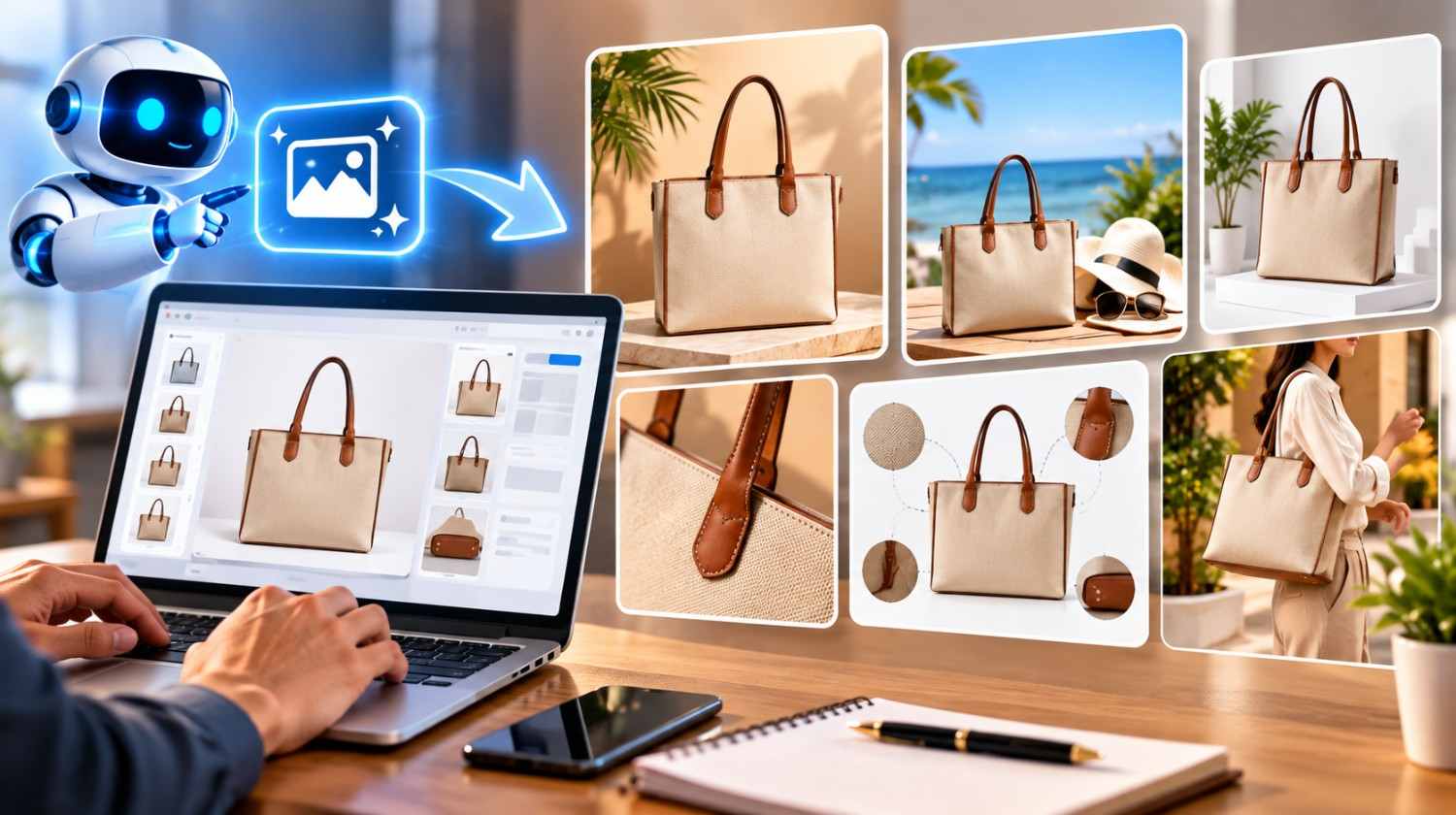
How to Create Amazon Product Images with AI
High-quality product images help Amazon sellers attract attention, communicate product features, and build customer confidence. As online competition increases, sellers are exploring artificial intelligence (AI) to create professional-looking visuals, develop lifestyle scenes, and improve product presentation without organising a separate photoshoot for every image.
Learning how to create Amazon product images with AI can help businesses streamline their visual content workflow. However, the goal is not simply to create attractive pictures. Images must accurately represent the product, meet Amazon’s requirements, and help shoppers understand what they will receive.
Why Use AI for Amazon Product Photography?
AI-powered image tools can assist with background removal, lighting adjustments, image enhancement, and lifestyle scene creation. Sellers can use these capabilities to develop supporting visuals for product listings and marketing campaigns.
For example, a seller offering jute bags can begin with a clear photograph of the actual bag and use AI-assisted editing to create a suitable lifestyle setting. An electronics seller might use AI to develop a clean visual environment around a product while preserving its actual appearance.
AI can also help sellers maintain a consistent style across large catalogues. This is useful for businesses managing multiple product variations or selling across different marketplaces.
When combined with effective e-Commerce Marketing, professional product visuals can support a stronger online presence. However, AI-generated images should always be checked carefully before publication.
Step 1: Start with a Clear Photograph of Your Product
The first step is to capture a high-quality photograph of the actual item. Use good lighting, a clear camera angle, and a simple background. Make sure the product is fully visible and important details are easy to inspect.
Photograph the real colour, shape, material, texture, stitching, packaging, and included accessories. If the product has several variations, such as different colours or sizes, capture each version accurately.
A reliable original photograph gives AI tools a reference to work from. It also makes it easier to identify unwanted changes in the final image.
For most sellers, starting with genuine product photography is a practical way to maintain accuracy while using AI to improve the surrounding presentation.
Step 2: Choose an AI Image Editing Tool
Select an AI tool according to the type of image you need. Some tools specialise in background removal and photo enhancement, while others can generate lifestyle scenes or help create marketing visuals.
Before choosing a tool, consider its editing controls, output resolution, commercial-use terms, and ability to preserve product details. Some tools work best with existing photographs, while others focus on generating images from written prompts.
For Amazon listings, prioritise tools that allow you to retain control over the product itself. Avoid relying on a generated image without comparing it with the original photograph.
The right tool should help improve the image rather than invent product features that do not exist.
Step 3: Create a Clean Main Product Image
Amazon’s main image requirements are particularly important. The main image must accurately represent the actual product, use a pure white background, and show the complete item without misleading additions. Amazon’s guidance also specifies that the product should occupy approximately 85% of the image area. Requirements can vary by product category, so sellers should review the applicable rules before uploading.
AI-assisted background removal can help isolate the product and create a clean white background. However, inspect the edges carefully for unnatural outlines, missing handles, distorted shapes, or altered textures.
Do not use AI to add features, accessories, or components that customers will not receive. The final main image should clearly show the product being sold, rather than a creative interpretation of it.
Step 4: Generate Lifestyle Images with AI
Lifestyle images help shoppers understand how a product may look in everyday use. They can show a product in a suitable environment and communicate its intended purpose.
Start with an accurate product photograph and write a specific prompt describing the desired setting, lighting, and composition.
For example, a prompt for a genuine jute shopping bag could read:
“Create a realistic lifestyle scene featuring the exact jute shopping bag from the reference photograph. Preserve its original colour, dimensions, handles, stitching, and woven texture. Place it in a bright, naturally lit shopping environment with a clean, uncluttered background. Do not add logos or alter the product.”
After generating the image, compare it with the reference photograph. Check the product’s proportions, colour, texture, and construction. Remove or regenerate any image that introduces inaccurate details.
Use lifestyle images as supporting listing visuals only where permitted by the applicable Amazon image rules.
Step 5: Create Supporting Images That Explain Product Benefits
A strong Amazon listing can benefit from several complementary images. Depending on the category and applicable requirements, supporting images may show product details, dimensions, included components, or examples of use.
AI-assisted editing can help develop a consistent visual style for these assets. Nevertheless, measurements, material claims, product features, and included accessories must remain accurate.
If you create an infographic, verify every label and measurement before publishing it. Do not allow AI to invent technical specifications or make unsupported claims.
Amazon recommends providing additional images to help customers evaluate products, but sellers should check current requirements for their category and listing type.
Step 6: Review Image Quality and Marketplace Compliance
Before uploading, inspect every image at full size. Look for blurry details, distorted edges, incorrect colours, unnatural shadows, inconsistent proportions, and inaccurate product features.
Check that the image matches the listing title, description, selected variation, and actual product. Confirm that the file format and dimensions meet Amazon’s current technical requirements.
If an image contains a photorealistic person generated entirely by AI, Amazon’s guidance may require specific metadata identifying the synthetic performer. Review the current instructions and applicable requirements before uploading such content.
These checks are essential because attractive images are not useful if they mislead shoppers or fail marketplace standards.
How AMZ Northland Supports Better E-Commerce Product Presentation
AMZ Northland understands that effective product imagery is one part of a wider online selling strategy. Sellers also need accurate listing information, consistent catalogue management, and a clear approach to presenting their products across sales channels.
Through e-Commerce Marketing, Marketplace Management, e-Commerce Photography, and Online Marketplace Services, businesses can coordinate their visual content with their broader e-commerce operations.
AI can help speed up creative production, but product accuracy and customer trust should remain the priority. By combining genuine product photographs, carefully controlled AI editing, and thorough quality checks, sellers can create professional visuals that support their Amazon listings.
For businesses serving customers in Canada and the USA, a consistent image strategy can also help maintain a recognisable brand presentation across marketplaces. AMZ Northland helps businesses focus on product presentation and the practical requirements of selling online.
Recent Posts
- How to Create Amazon Product Images with AI
- AI Product Photography vs Traditional Studio Photography: Which Is Better for E-Commerce?
- Transitioning from Hobbyist to Professional Seller: Legal and Structural Requirements
- Mastering Product Data Feeds: Preventing Sync Errors Across Multiple Catalogs
- Fast-Tracking Marketplace Approvals: Avoiding Common Pitfalls During Onboarding
- Navigating Marketplace Restrictions: Staying Compliant Without Sacrificing Visual Appeal
- Lighting, Angles, and Conversion: Technical Product Photography Standards That Win
- The Mechanics of Cost-Per-Click: Understanding How Ad Auctions Actually Function
- Structuring Campaigns for Success: The Blueprint for Clean Ad Architecture
Archives
- October 2026 (6)
- September 2026 (24)
- August 2026 (24)
- July 2026 (26)
- June 2026 (26)
- May 2026 (26)
- April 2026 (11)
- October 2025 (4)
- September 2025 (5)
Frequently Asked Questions
AI can assist with editing and developing product visuals, but the final images must meet Amazon’s requirements and accurately represent the product being sold.
Start with a clear photograph of the actual product, use an appropriate AI editing tool, create the required background or supporting scene, and compare the final image with the original before uploading.
Yes. AI-assisted tools can help remove backgrounds and create a white background. Review the final image to ensure the product remains accurate and the background meets Amazon’s current requirements.
Supporting lifestyle images may be suitable when they comply with the applicable rules and accurately represent the product. Always check the current requirements for your category and image type.
Avoid altered product dimensions, inaccurate colours, invented features, misleading accessories, distorted logos, and visual elements that violate marketplace image requirements.
Professional, accurate images can help customers understand a product and make informed purchasing decisions. Sales results also depend on pricing, product demand, listing quality, reviews, and competition.
AMZ Northland offers support related to e-Commerce Marketing, Marketplace Management, e-Commerce Photography, and Online Marketplace Services to help businesses improve product presentation and manage their online selling activities.
Recent Comments